
Microsoft has put a date on the end of its To Do applications. On November 18, the company said the web, Windows, Mac, iOS and Android apps will retire on June 30, 2027. Work and school users are being directed toward Microsoft Planner. Personal Microsoft account users, including Microsoft 365 Personal and Family subscribers, are being told to choose a different task manager because Planner is unavailable to them. This is a consequential product decision for a tool whose job was to make small obligations easy to capture. Microsoft transition guidance
Our judgment is that bringing personal tasks and assigned work into one organizational environment could make sense for people whose work already lives in Microsoft 365. The retirement becomes harder to defend as a uniform transition because the destination differs by account type and existing work does not automatically move into the new private Planner plan. Microsoft has described a future export, but has not yet published its supported data or instructions. The company should be assessed on that transition contract as much as on the longer-term product architecture.
A quiet task list occupies an important place#
A personal task list sits in an odd position between a note and a project plan. It may hold a library book to return, a medication refill, a draft invoice, and one part of a work commitment. The list succeeds when a person can collect those items without deciding where each belongs in a corporate structure. The interface does not need to explain a portfolio, invite collaborators or ask whether a task belongs to a board. It needs to keep a small intention visible until the owner can act. That modest promise can be surprisingly difficult to replace.
To Do also sits inside a wider Microsoft account experience. Tasks can be checked from different devices and appear alongside Outlook-related workflows. That convenience is not the same for every user, but it helps explain how a lightweight list can become a daily habit. A person may rarely think of the app as an independent product. They may experience it as a dependable place to gather loose ends while changing from a phone to a computer. Retiring the app therefore affects a relationship with an everyday routine, not only a row on a product roadmap.
This is why a shutdown date carries more weight than a typical version change. A feature removal can often be worked around within the same application. An app retirement asks the user to choose another place, move or recreate information and learn a different interaction model. That work falls on a schedule set by the provider. The task list is personal, but its future is governed by a company's product decision. Trust depends partly on whether the provider recognizes the difference and provides a transition that respects both the data and the habit built around it.
The business case for consolidation is understandable. Microsoft has been bringing Planner's private tasks and assigned work into a redesigned My tasks experience. Work teams may benefit when an individual's priorities and delegated responsibilities appear in a shared environment. The company also says this foundation connects with Copilot and other agents. These are plausible strategic reasons to focus investment. They do not by themselves show that every current To Do user has the same needs or that the available destination is equivalent for each account type.
The destination depends on the account#
For work and school accounts, Planner is the stated destination for managing personal work tasks alongside assigned tasks. Microsoft says a refreshed My tasks experience will begin rolling out in December 2026. It describes a list-first view, starred tasks and separate access to Assigned to me. The design preview is explicitly subject to change. This timeline matters because the retirement date arrives before users have necessarily had time to assess the new experience. A planned interface should be evaluated through its actual rollout, not treated as already delivered to everyone.
Personal accounts have a different outcome. Planner is not available to Microsoft 365 Personal and Family users, and Microsoft instructs them to choose another task-management application. That is not merely a different migration path inside the same ecosystem. It leaves the affected person responsible for selecting an external destination and deciding how to preserve the information. A reader's account type can therefore determine whether this announcement points toward another Microsoft product or outside the company altogether. That asymmetry is the clearest strategic weakness in presenting one retirement date as one transition.
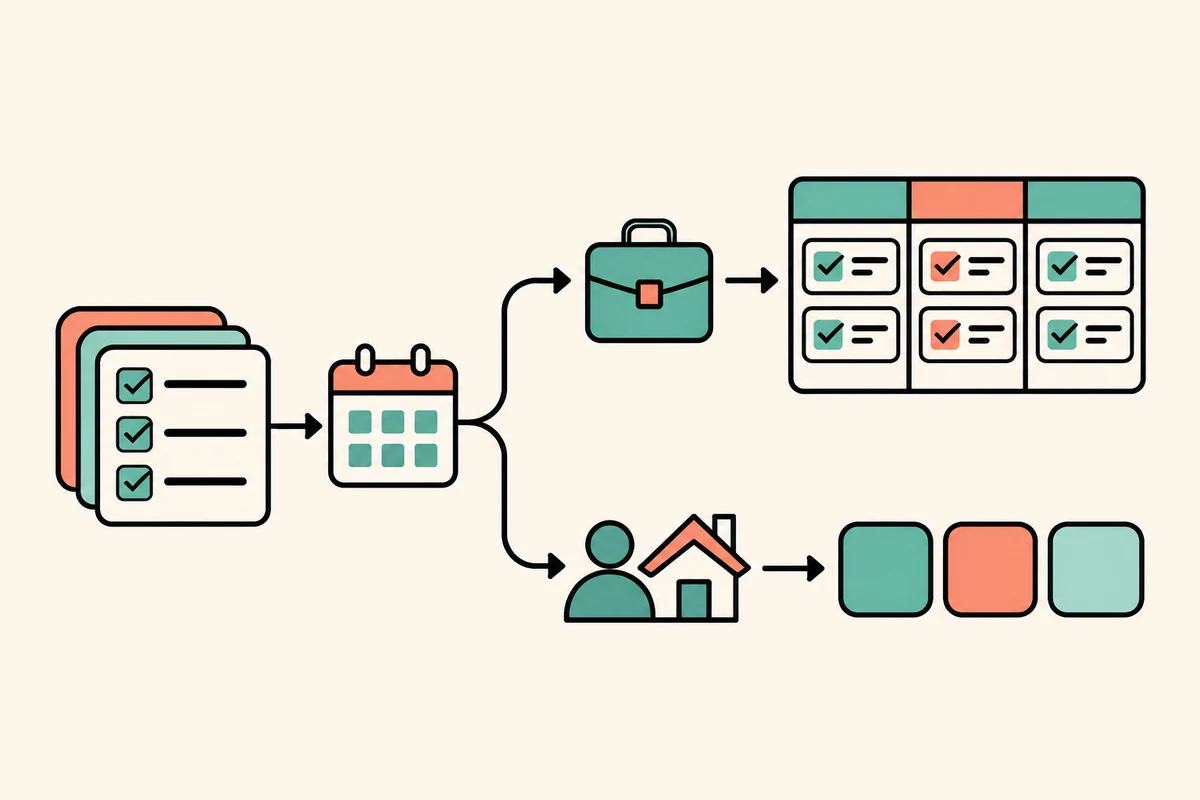
Even for work and school users, Planner is not simply To Do with a new name. Microsoft's own guidance notes that due-date notifications differ from scheduled reminders, shared-list membership and permissions will not transfer, and desktop and offline capabilities are not equivalent. Some task features, including attachments in the new private plan, are not currently supported. These are practical distinctions rather than cosmetic interface changes. A user who relies on a particular reminder or shared list needs to test that workflow before treating the proposed destination as a replacement.
The split also changes the buyer's question. An organization may prefer to standardize work tasks inside a service it administers, while an employee may depend on a personal list that crosses work and home. The product decision is being framed around accounts, which are a convenient boundary for permissions. Daily obligations do not necessarily respect that boundary. A thoughtful migration can still preserve it, but the interface must make clear which account holds which list, where a task is accessible and what happens when a person changes jobs or loses a license.
This does not mean a single tool must serve every purpose. It means the company should describe the future by the people and tasks it serves. Work and school users are receiving a transition proposal. Personal users are receiving an end date and an instruction to find another product. Those are materially different customer outcomes, even though both groups currently open the same To Do apps. A decision review should keep that difference visible instead of averaging it away under the word consolidation.
The date is clear, while the data plan is not finished#
June 30, 2027 is the announced retirement date for the applications on web and major desktop and mobile platforms. For work and school accounts, existing To Do tasks are expected to remain accessible through Planner until that date, after which users will no longer be able to view or manage them there. Microsoft says that retirement of the apps does not itself schedule the underlying task data for deletion. Access and retention are separate questions. Users should not have to infer one from the other when planning what to preserve.
Existing tasks and lists will not automatically migrate into the new private Planner plan. The support guidance says they can remain visible in Planner during the transition period for eligible work and school accounts, but that does not make them migrated into the new destination. This distinction matters for any workflow that depends on continuity. A task may be visible in one view today and still require a separate preservation plan before the old application reaches its deadline. A user should be able to tell whether the source remains authoritative and what final action is expected.
Microsoft says it will provide an export method before retirement. It has not yet published instructions, the supported data, requirements or limitations. The company also cautions that export does not mean the resulting content can be imported into Planner or another application. This is honest about the status of the work, but it leaves a large part of the practical transition unresolved. An announcement can set a direction before every migration tool is ready. A responsible transition still needs the tool, documentation and enough time for people to verify what they recovered.
The distinction between access and deletion is especially important for records people may need after leaving a role. Some organizations have retention or compliance obligations. Microsoft instructs those users to contact their administrators before deleting or reorganizing task data. That is sensible advice, but it also means the retirement plan has organizational consequences beyond a personal preference. Administrators need to identify workflows, integrations, licensing and retention needs. A provider that retires a client app while preserving a service temporarily creates a period when ownership and access need clear explanations.
The service, APIs and synchronization support have separate later retirement timelines. Microsoft says it will communicate those dates and any preparation separately. That makes June 30 an application deadline, not a definitive date for every dependency. Teams that connect to To Do through another tool should inventory those links and avoid assuming that app retirement and API retirement happen simultaneously. A product can have a staged wind-down, but users need each stage expressed in plain dates and affected capabilities before they can plan around it.
Planner offers a broader model, with real trade-offs#
Planner is designed around plans, assigned tasks and shared work. The forthcoming My tasks experience is intended to bring private work into that environment. Microsoft says new private tasks will live in a private Planner plan, while assigned tasks remain separately accessible. For an employee who moves between solo obligations and team deliverables, that could reduce context switching. It can also give an organization a more consistent place to manage the work it sponsors. The product rationale becomes persuasive when users can see that connection without losing the low-friction qualities they relied on.
The current feature set makes the difference visible. Planner's due-date notifications are not the same as To Do reminders scheduled for an individual task. Shared-list membership, assignments and permissions do not transfer. The new private plan does not currently support task file attachments. Desktop offline behavior is not equivalent, and native Windows or Mac Planner apps are not planned as replacements. These constraints may change over time, but the transition should be evaluated against what is available today. A future roadmap cannot silently serve as a current replacement checklist.
A broader work model could provide value to administrators as well as individuals. Tasks may relate to plans, ownership and organizational context in ways a separate list does not represent. Microsoft says unified plans create a common foundation for Copilot and other agents to connect planning and execution. That is a strategic direction, not evidence that every user needs AI-assisted task management. The company should demonstrate the concrete improvements for ordinary use. For example, users need to know whether private tasks remain private and whether an agent interaction changes who can inspect or act on them.
The product challenge is keeping a private task private while placing it alongside organizational work. People may want personal focus without turning every reminder into a project record. Clear permissions and understandable storage locations matter more than the name of the view. If a private plan is backed by Planner, users deserve a straightforward explanation of access, sharing and retention. That becomes part of usability. A simple list earns trust partly because a person can predict who will see its contents. The new model should make that prediction at least as easy.
There is a reasonable case for an organization to prefer Planner. Teams can coordinate assigned work and personal work in one supported environment. Admins can manage access and licensing centrally. Those benefits apply within organizations willing and able to administer the service. They do not solve the personal-account gap. Product strategy can prioritize one customer segment, but the migration communication should say what happens to the others without implying equivalent continuity. A clear boundary is more trustworthy than a universal promise the product does not fulfill.
Everyday workflows are the real migration test#
A person can discover whether a replacement works by taking a small sample of tasks through it. Due dates, reminders, recurrence, notes, shared lists, assignments, attachments, search, widgets and offline access can each shape a habit. Not every user depends on every feature. The useful exercise is to identify a few tasks that matter and compare the complete path from capture to completion. That reveals friction in context. A checklist of feature names helps, but it cannot show whether the new interaction interrupts a routine or makes an important obligation harder to see.
For a personal-account user, migration also means choosing a new provider. The choice depends on how much existing data can be exported, what formats are supported, whether lists and reminders preserve their meaning and what account protections the new service offers. Microsoft has not yet published the export details, so a complete comparison is not possible today. The company can reduce uncertainty by releasing sample exports and a field-by-field guide before the final months. That would let users test a destination while they still have time to correct a mistaken assumption.
For work and school users, the transition involves organization rules. A Planner license, administrator permissions and availability of the updated My tasks view can affect the route. A company may choose to deploy Planner differently across departments. Shared lists may have members and permissions that need to be recreated. Integrations may depend on APIs with their own later end dates. The user's visible app change can therefore require a small project involving an administrator, team owner and personal task owner. Microsoft identifies several of these preparation responsibilities in its support guidance.
An evaluation should also cover interruption and recovery. If a user starts working in Planner, realizes that a shared list was not transferred and returns to To Do, can the original information still be accessed? If an export is incomplete, is there a way to request another one before retirement? If a personal task manager is selected, can supported data be imported with dates and list structure intact? These are proposed questions for a migration rehearsal. A well-run transition gives users a chance to find gaps before the old route closes.
A comparison should include the cost of attention, not only the availability of a feature. Someone may have used To Do because it offered a fast path to capture a thought. Requiring a plan, a workspace or a separate account can make that path longer. Another person may welcome Planner's additional structure because tasks are part of team coordination. Both reactions can be valid. The best replacement is determined by the actual work and user, not by an abstract ranking of simple versus powerful software.
Microsoft has months to make the destination easier to evaluate. The refreshed My tasks experience is planned to begin rolling out in December 2026. As it arrives, the company can publish capability details and make clear which users have access. Users should be able to compare the current Planner experience with the announced refresh, identify what is available in their account and build a test around a real set of obligations. The final retirement date is fixed, but the quality of preparation remains within the company's control.
Consolidation can be sound and still feel one-sided#
The strongest argument for consolidation is that Microsoft's task and planning experiences have overlapped. A single Planner foundation can connect private task capture with assigned work, plans and organizational capabilities. It may simplify development of future integrations and allow Copilot or other agents to use task context. These are plausible strategic benefits, and the company is entitled to focus its investment. The decision deserves to be judged by whether those benefits become useful, measurable experiences for the people asked to change.
The weakness is the distribution of transition support. Work and school accounts are invited into a new Microsoft environment. Personal users are sent elsewhere, despite the paid Microsoft 365 Personal and Family plans still being named among affected accounts. The person must choose another application, while the export mechanism remains forthcoming. This difference may reflect product boundaries and licensing choices. It still creates an asymmetry the company should acknowledge plainly. A broad retirement message should not obscure the fact that some customers receive a destination and others do not.
The history of a task manager makes continuity particularly salient. Microsoft previously retired Wunderlist and encouraged users to move to To Do. Users who experienced that transition may interpret another retirement through accumulated trust. This is relevant context rather than proof that the current export will fail. A company can learn from past migrations by making the next one more transparent. Its credibility grows when it states what will move, what will not, when tools will be ready and where a user should go if the transition produces an incomplete result.
There is also a distinction between the decision and its execution. Retiring To Do may be a defensible portfolio choice. Shipping an incomplete replacement, ambiguous export or insufficient transition window would be an execution failure. Conversely, clear data tools and a Planner experience that preserves key work can make a difficult change easier to accept. Reviewers should keep these judgments separate. The announcement establishes direction and the available guidance. User outcomes will depend on the details Microsoft has not yet published and on the experience as Planner rolls out.
The organization can decide to move its people, but individual users still experience the consequence. That is why migration communication should serve both administrators and the people with tasks in their accounts. Admins need licensing, retention and integration guidance. Individuals need to know where their personal lists are, how reminders differ and which tasks require action. A successful enterprise rollout is not only a policy deployment. It is a series of people finding their actual work intact and understandable in the new place.
What Microsoft should make clear before the deadline#
The first priority is a usable export method delivered early enough for testing. Instructions should state exactly which fields and structures are supported, how shared lists are represented, how dates and reminders map, and what cannot be exported. A sample file would help users inspect the result before choosing another provider. If exports can be repeated, Microsoft should explain the process. If import into Planner is not supported, the company should make that boundary easy to find rather than leaving users to infer it from a later help-page update.
The second priority is an account-specific transition view. Work and school users should see Planner access, licensing requirements, rollout status and any admin-dependent steps. Personal users should receive clear export timing and a reminder that Planner is not their replacement. People using both account types need a way to review each separately. The Microsoft support guidance already distinguishes these groups. Carrying that distinction into the app would help the decision arrive where users manage their tasks, rather than relying on them to discover a support article after the announcement.
The third priority is to clarify the future of integrations. APIs and synchronization services have separate retirement schedules. Developers and organizations need dates, deprecation notices and migration paths early. A task app can be embedded in routines that are invisible to a person opening the app. Losing a synchronization path may affect calendars, team tools or personal automation. A staged retirement can be managed, but the provider must inventory each stage and explain what dependency is changing before customers can safely update their own systems.
Fourth, Planner should be evaluated through ordinary task behavior. The private plan needs understandable privacy, dependable reminders, quick capture and accessible history. If some features are not available yet, the company should label them as such and say which alternatives exist. An interface preview is useful for setting expectations, but a live rollout will show how it handles real accounts. Users need enough time to compare the result with their actual workflow before the old app stops being available.
Finally, the deadline should not be confused with data deletion. Microsoft says the app retirement does not itself schedule task data for deletion and that service and API changes come on separate timelines. A precise timeline can reassure users without overstating access. The company should state what can still be viewed or managed after the app closes, through which product and until what date. That level of clarity is a basic part of responsible product retirement, not an optional support detail.
The decision deserves a measured verdict#
Microsoft has chosen to concentrate task management around Planner for work and school. That direction can make sense for people who need personal tasks beside assigned responsibilities. The redesigned My tasks experience may make Planner more approachable for that purpose. We would view the decision more favorably if the rollout preserves the capture speed, reminder behavior and private context that made To Do useful, and if the migration instructions let people verify their own records.
The personal-account ending is the harder part. Those users have no Planner route under the announced model and must choose another service. Existing tasks are not automatically moved, and the promised export has no published format yet. The company has told people what to prepare for, but it has not finished describing the tools that will help them prepare. That gap is currently the central execution risk. It can be reduced by giving users an early, testable export and a plain account-specific checklist.
We would revise our judgment in Microsoft's favor if work users can transition without losing essential workflows, personal users can export and verify their records well before retirement, and later API dates arrive with sufficient notice. We would become more critical if export support arrives late or incomplete, if people discover access gaps close to the deadline or if integration changes are communicated after dependent systems break. These conditions are concrete and can be assessed as the transition unfolds.
A product decision is not only the destination a company wants to build. It is also the obligation created when it closes the route people already use. Microsoft may have a coherent case for bringing planning and private work tasks together. It now needs to make the separation between managed work accounts and personal accounts fair in practice. Until migration tools and the Planner experience are ready to inspect, the strategy has a reasonable rationale and an unfinished promise.
For now, To Do users should treat June 30, 2027 as an app-access deadline and follow the account-specific guidance as it develops. Work and school users can test Planner's actual tasks and permissions. Personal users should wait for the promised export instructions before assuming what will transfer. Microsoft has made the destination clear for one group and the need to choose for another. The quality of the next several months will determine whether this retirement feels like a careful product transition or a decision users were asked to finish on their own.